Back to BLOG
Keep Reading
See all

%201%20(1).jpg)
.jpg)
.png)
.jpg)
.png)
.png)
.png)
.png)





.png)
.png)
Replay
Genesis Bronze, Silver, Gold Agentic Data Engineering
%201%20(1).jpg)
Stay in the Fast Lane
News and product updates in Agentic AI for enterprise data teams.
Oops! Something went wrong while submitting the form.

Back to top
share
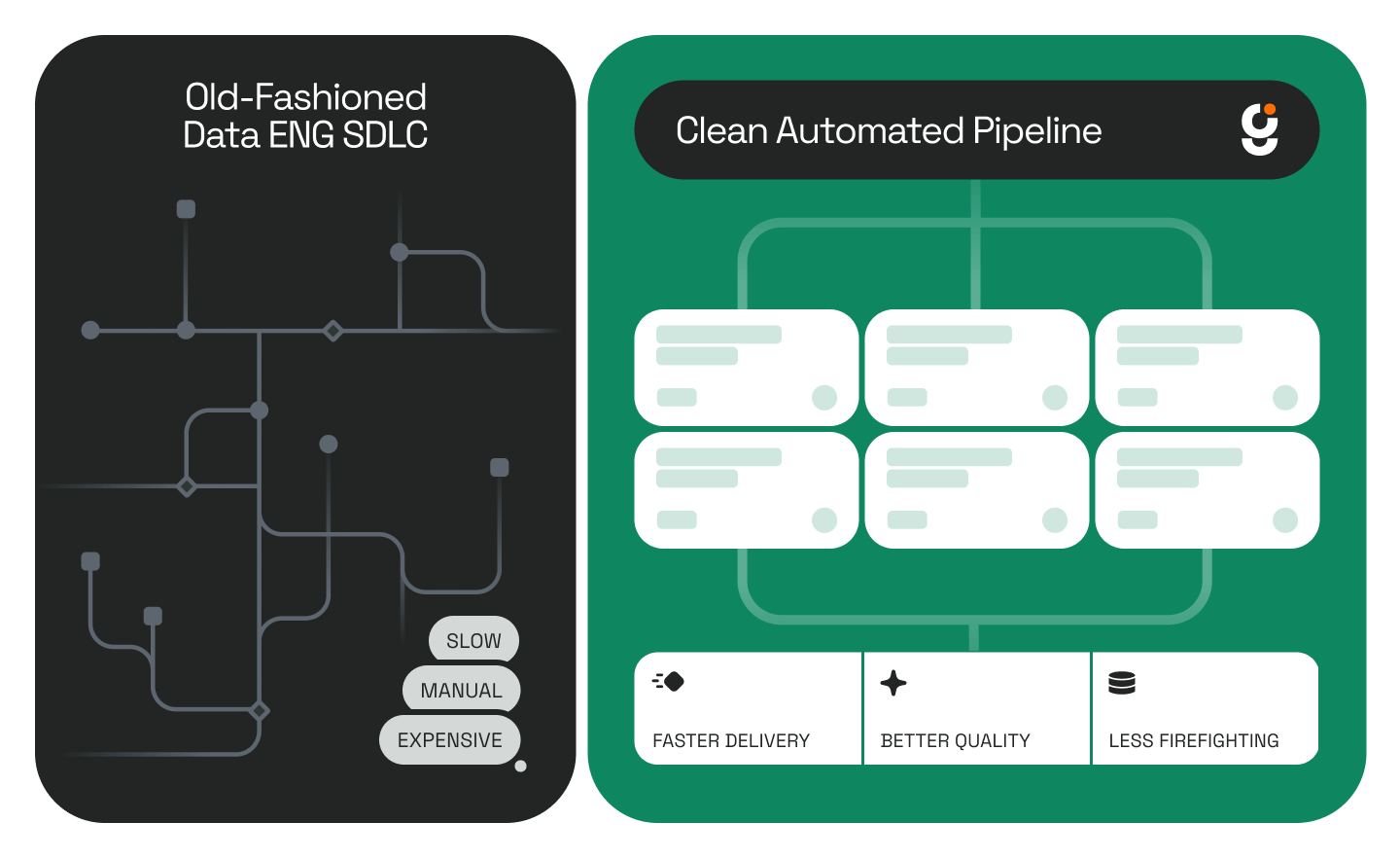
Enterprise data teams spend weeks — sometimes months — turning a business request into a working dashboard. A stakeholder sketches what they need on a whiteboard, hands over a list of questions the data should answer, and the backlog begins. Source-to-target mapping alone can take days of manual exploration. Layer in medallion architecture standards, dbt engineering, and QA cycles, and you're looking at a quarter before anything reaches production.
Genesis compresses that entire workflow into hours using autonomous AI data agents.
This walkthrough shows the end-to-end process: starting from a rough dashboard sketch and a set of business requirements, and finishing with a fully built, production-ready dashboard — all orchestrated by Genesis Blueprints and Missions.
What You'll See in This Video
The video covers four core concepts that power Genesis's approach to agentic data engineering.
The Digital Twin and its 4-level hierarchy
Genesis organizes your data environment into four levels — system, container, collection, and asset — giving agents a structured map of everything they need to work with.
How a dashboard request becomes structured inputs.
A business user provides a sketch (in this case, an Assets Under Management dashboard), a set of business questions (27 in total), a data engineering standards document (medallion architecture with Bronze, Silver, and Gold layers), and access to the raw source data. Together, these become the inputs that Genesis agents use to do the work.
How Blueprints keep agents on track.
Blueprints define the phases, actions, and exit criteria that agents must follow. They ensure agents complete the right work in the right order, create the right artifacts, and reference the correct outputs as they move from one phase to the next.
How Missions execute the plan.
Missions are live runs of a Blueprint. Each Mission includes full replay capability — you can watch the agent work in real time or scrub through it like a DVR, inspect every tool call, review every artifact, and track progress through each phase's worklog.
The Inputs: What a Business User Provides
Every dashboard project starts with the same four things, whether a human or an AI agent is building it.
A sketch or frame of reference.
This is the "what do you want it to look like" input. In the video, it's an Assets Under Management (AUM) dashboard mockup — the kind of thing someone might draw on a whiteboard or pull together in a slide.
Business questions the dashboard must answer.
These are specific, measurable questions tied to business outcomes. The example in this walkthrough includes 27 business questions that define what the AUM dashboard needs to surface — questions like how AUM is distributed across asset classes, which client segments are growing, and where net flows are trending.
Data engineering standards.
Most organizations have documented standards for how data should be structured and transformed. In this example, the standard is a Bronze-Silver-Gold medallion architecture — a common pattern where Bronze holds raw ingested data, Silver contains cleaned and conformed data, and Gold delivers business-ready, aggregated datasets.
Raw source data.
The actual data that will power the dashboard. Normally, a data engineer would spend significant time exploring this data manually — understanding schemas, identifying joins, and mapping source fields to target outputs. Genesis agents handle this exploration autonomously.
What Are Blueprints in Genesis?
Blueprints are Genesis's mechanism for controlling agent behavior across complex, multi-phase workflows.
A Blueprint defines the sequence of phases an agent must follow to complete a task. Each phase includes specific actions the agent must take and exit criteria that validate the agent's work before it can proceed. Exit criteria confirm that the agent has produced the correct artifacts, generated the required documentation, and is ready to move forward.
The Source-to-Target Mapping Blueprint shown in the video, for example, contains 10 phases (numbered 0 through 9). Each phase is clickable in the Genesis UI, revealing the detailed instructions, expected actions, and validation checks that govern the agent's work at that stage.
Blueprints solve a fundamental problem in agentic AI: without structured guardrails, agents skip steps, produce incomplete outputs, or lose context between stages. Blueprints eliminate that risk by enforcing a defined execution path with built-in quality gates.
What Are Missions in Genesis?
Missions are the execution layer. When you're satisfied with a Blueprint's configuration, you create a Mission from it — and the agent goes to work.
During a Mission, you get full observability into what the agent is doing. The Genesis UI provides a real-time thread view showing the agent's reasoning and tool calls as they happen, an artifact panel on the left side where documents and data outputs appear as they're created, and a worklog at the bottom that tracks phase completion — each phase gets checked off as the agent meets its exit criteria and advances.
Genesis also includes a Replay feature that functions like a DVR for agent work. You can play back the entire Mission at adjustable speeds, scrub to any point, and inspect exactly what the agent did and why. This is critical for enterprise environments where auditability and reproducibility matter.
Every Mission also generates a document flow and a data flow, both of which are interactive — you can click into any document or data artifact to inspect its contents.
The Mission Sequence: Bronze Through Dashboard
Genesis follows a specific order of operations to go from raw data to a finished dashboard. Each Mission builds on the outputs of the one before it.
Mission 1 — Bronze Source-to-Target Mapping.
The agent explores the raw source data and maps it to Bronze-layer targets. It identifies schemas, catalogs fields, and produces the mapping documentation that downstream missions will reference. This is the foundation.
Mission 2 — Silver and Gold Source-to-Target Mapping.
With the Bronze mapping complete, the agent now plans the transformations needed to move data through the Silver (cleaned, conformed) and Gold (business-ready, aggregated) layers. It references the organization's medallion architecture standards and the business questions to determine what the final Gold tables need to look like.
Mission 3 — dbt Engineering.
The agent takes the source-to-target mappings and builds the actual dbt models — the production code that will transform raw data into the dashboard-ready Gold layer. The dbt Engineering Blueprint has its own set of phases, actions, and exit criteria, ensuring the generated code meets the organization's engineering standards.
Output — The Dashboard.
The end product is the dashboard the business user originally requested. It's built from verified Gold data, engineered through documented and auditable dbt pipelines, and structured to answer every one of the original business questions.
Why This Matters for Enterprise Data Teams
The traditional path from "I need a dashboard" to "here's your dashboard" involves multiple handoffs, weeks of backlog, and significant engineering effort. Source-to-target mapping is tedious. Schema exploration is manual. dbt model development requires specialized skills. QA cycles add more time.
Genesis collapses this into a structured, agent-driven workflow where every step is documented, every artifact is traceable, and the entire process can be replayed and audited. The agent does the work. The Blueprint ensures the work is done right. The Mission provides full visibility into how it was done.
For data engineering leaders evaluating agentic AI, this is what production-grade autonomy looks like — not a chatbot writing SQL snippets, but a governed, multi-phase system that delivers real data products.
---
Frequently Asked Questions
What is agentic data engineering?
Agentic data engineering uses autonomous AI agents to perform data engineering tasks — such as source-to-target mapping, data transformation, and pipeline development — that traditionally require manual effort from human data engineers. Genesis deploys these agents within your existing data platform (Snowflake, Databricks, or other environments) to automate the full data pipeline lifecycle.
What is a Blueprint in Genesis?
A Blueprint in Genesis is a structured execution plan that defines the phases, actions, and exit criteria an AI agent must follow to complete a data engineering task. Blueprints prevent agents from skipping steps and ensure every output is validated before the agent moves to the next phase.
What is a Mission in Genesis?
A Mission is a live execution of a Blueprint. When a Mission runs, the Genesis agent works through each phase, producing artifacts and documentation along the way. Missions include full replay capability, real-time observability, and interactive document and data flows for auditability.
What is the Bronze-Silver-Gold medallion architecture?
The Bronze-Silver-Gold medallion architecture is a data engineering pattern that organizes data into three layers. Bronze contains raw, ingested data with minimal transformation. Silver holds cleaned, validated, and conformed data. Gold contains business-ready, aggregated datasets optimized for analytics and reporting. Genesis agents follow this architecture (or your organization's specific standards) automatically.
How long does it take Genesis to build a dashboard from raw data?
Genesis compresses the traditional timeline from weeks or months to hours. The agent autonomously handles source-to-target mapping, medallion-layer transformations, and dbt engineering — producing a production-ready dashboard that answers the business questions defined at the start.
What is the Genesis Digital Twin?
The Genesis Digital Twin is a 4-level hierarchy view of your data environment, organized as system, container, collection, and asset. It gives agents a structured understanding of the data landscape they're working within, enabling them to navigate and reference data assets accurately throughout a Mission.
Can I audit what the Genesis agent did during a Mission?
Yes. Every Mission includes full replay, a real-time worklog, interactive document flows, and data flows. You can scrub through the agent's work at adjustable speeds, inspect every tool call, and review every artifact — providing complete traceability for governance and compliance requirements.
Stay in the Fast Lane
News and product updates in Agentic AI for enterprise data teams.
Oops! Something went wrong while submitting the form.
Keep Reading
Stay Connected!
Discover the latest breakthroughs, insights, and company news. Join our community to be the first to learn what’s coming next.
.png)